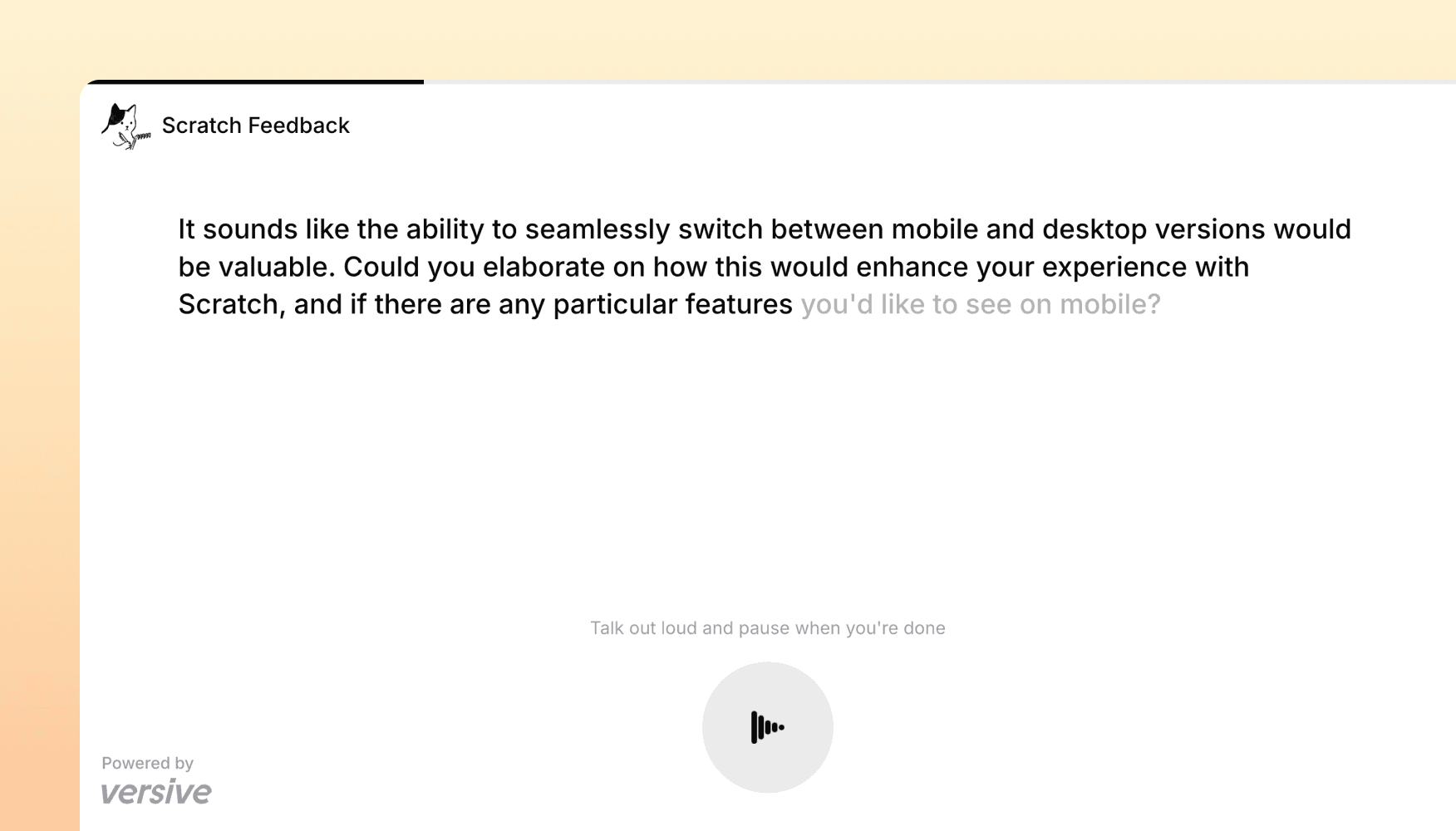
Voice-to-voice interviews and global search
Voice interviews that feel like real conversations, plus a new search palette that puts every study, insight, and template one keystroke away.
Voice-to-voice interviews
We've rebuilt the real-time interview engine from the ground up. AI interviewers can now speak questions out loud, respond immediately, and handle interruptions and back-and-forth — so voice interviews in Versive feel closer to an actual conversation.
What's new:
- Faster, more natural conversations — noticeably less waiting between turns. Participants speak, the interviewer responds fluidly, and transitions between questions are seamless
- Visual asset discussions — attach images or Figma prototypes to a question and the AI interviewer will reference and discuss them with participants, making it easy to gather feedback on visual designs during a voice interview
- Text interviews, same engine — the new engine also powers text-only interviews, with the same speed and reliability improvements
Now available to all Versive customers in beta. Enable it in your study settings to try it out.
Global Search
You can now search across your entire organization from anywhere in Versive. Press Cmd+K (or Ctrl+K on Windows) to open the search palette and start typing — results appear instantly across studies, AI tests, insights, templates, and folders.
What you can find:
- Studies and AI tests — search by name or description to jump straight to the project you need
- Insights — surface themes, summaries, and key findings from across all your research
- Templates — find question and study templates without digging through menus
- Folders — navigate your workspace structure directly from the search bar
Results are grouped by category, and you can filter with tabs to narrow things down. Matched terms are highlighted so you can scan quickly.
Built for speed:
- Recently Viewed — the palette remembers your last 10 visited items, so returning to a project is a single keystroke
- Quick Actions — common tasks like creating a new study, navigating to templates, or opening organization settings are available as searchable shortcuts
- Keyboard navigation — arrow keys, Enter to select, Esc to close. The whole flow works without touching the mouse
- Instant navigation — Versive preloads the pages behind your search results, so clicking a result takes you there immediately
Global Search respects your existing permissions. If a study or folder is set to invite-only, it won't appear in results for team members who don't have access.
Bug fixes and improvements
We also shipped several fixes across the platform to improve reliability and performance, including improvements to participant recruiting and CSV exports.
Get in touch
We're continuing to build features that help you test and learn faster. If you have any questions or feature requests, reach out to us at [email protected]. Want to get started? Sign up today and start running research in minutes.

David Correa, Co-Founder & CEO, Versive