3 new ways to test your designs with AI users
Introducing three new types of tests with AI users: structured tests, conversational tests, and expert audits.
Getting meaningful design feedback is hard. Traditional user testing is slow and expensive, so teams often turn to internal feedback, which tends to be biased and not user-centric.
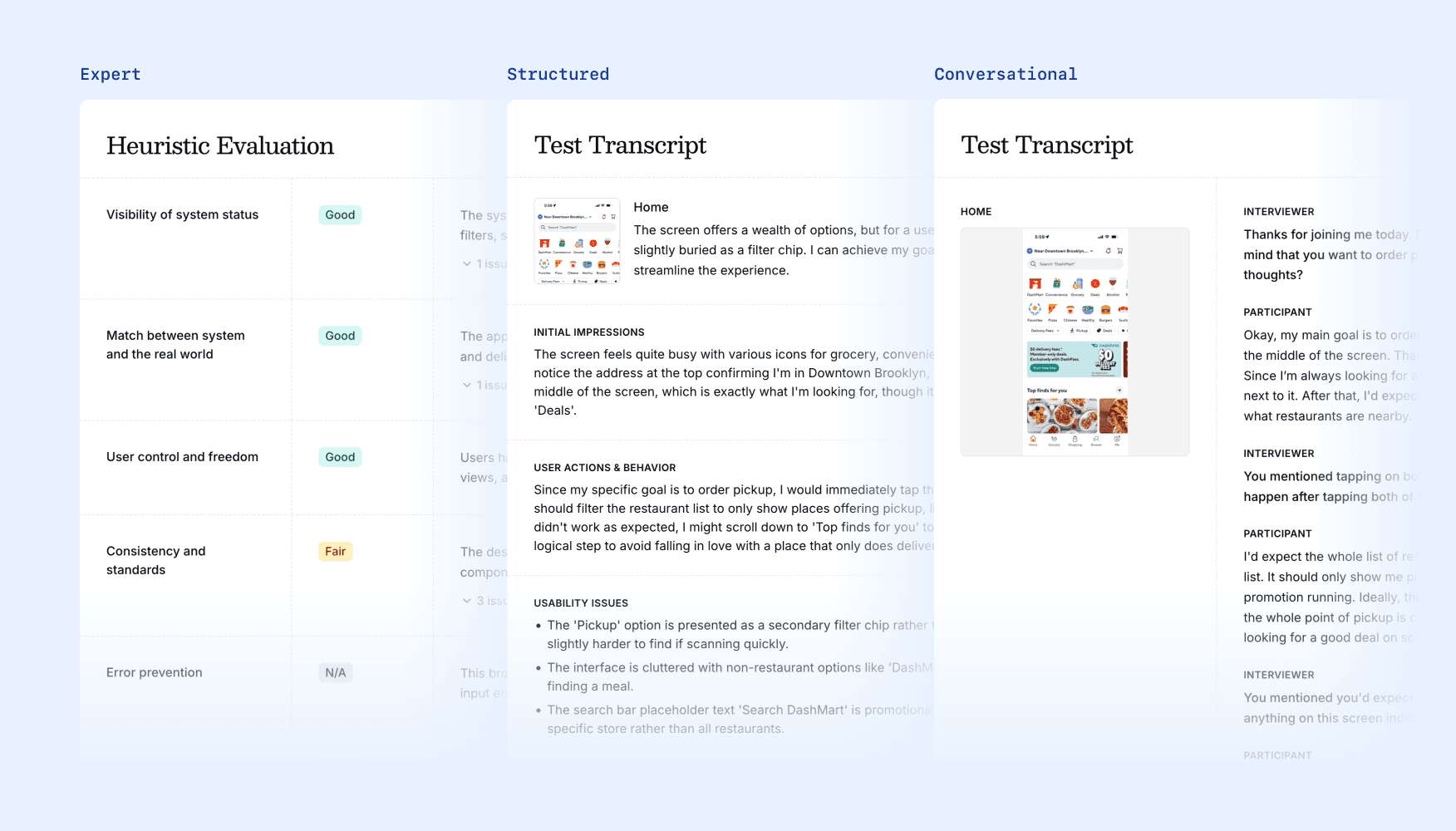
While testing with AI users isn't a replacement for talking to real users, it gives teams new tools to make better and faster design decisions. That's why we're introducing three new types of AI tests that give you different ways to collect instant feedback on your designs.
Structured Test
In structured tests, AI users answer a consistent set of questions on each screen of your flow. Because the same questions are applied to every screen, this test mode gives you the broadest range of insights and actionable recommendations.
Best for: Gathering a broad range of user-centric recommendations and insights.
What you get: A page-by-page analysis of your design from the perspective of a user, plus a synthesized summary of recommendations.
If you've used Snap before, this is our original test mode, now with upgraded AI models and better reporting.
Conversational Test
In conversational tests, an AI moderator conducts dynamic interviews with AI users, simulating multi-turn conversations as they walk through your design. This is the closest approximation of a real user interview: you'll get more realistic responses and a more targeted list of recommendations.
Best for: Understanding how users might experience your product in the real world. Collecting a more focused list of recommendations.
What you get: Full conversation transcripts that read like real user interviews, plus a synthesized summary of recommendations.
Expert Audit
An AI expert reviews your designs against a customizable list of design heuristics, giving you a more objective assessment against established best practices.
Best for: Finding objective usability issues, like in a design review.
What you get: An assessment of your designs against a list of heuristics, plus a synthesized summary of recommendations.
Choosing the right test
Different questions call for different approaches:
- "Give me a broad range of user-centric feedback on this flow" → Structured Test
- "Help me understand how users will use my product" → Conversational Test
- "Audit this design against UX best practices" → Expert Audit
You can run multiple tests on the same project. Start with an Expert Audit to catch obvious issues, then run Conversational Tests to understand the emotional experience. Use Structured Tests for quick checks on iterations.
Better reports, easier sharing
We've also overhauled how results come together. You now get an overall rating and a list of key positive and negative findings, with recommendations organized by screen so it's easier to take action. Every page is exportable and shareable.
Try it today
The new test modes are live now. Open any Figma file or upload your screens, pick a test, and get feedback in minutes.
Start a free trial or reach out to us at [email protected] if you have any questions.

Eric Li, Co-Founder, Versive