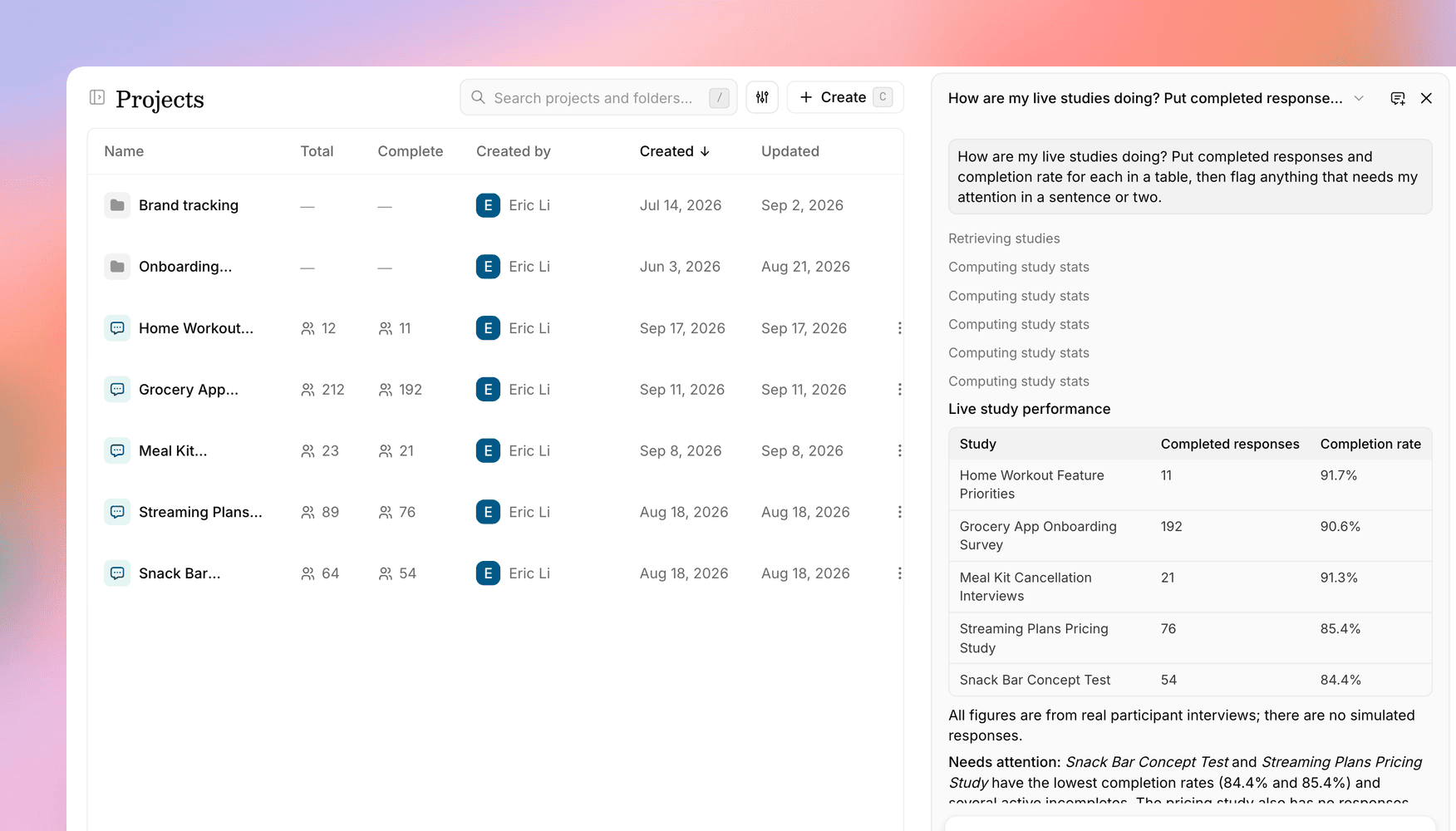
Introducing the Versive Assistant: an AI agent on every page
One assistant, available anywhere in Versive, that finds your studies, analyzes results, builds and edits studies, and answers questions about how Versive works.
Until now, AI help in Versive lived in separate places. The Study Assistant worked in the study editor, Ask answered questions on the insights page, and the create dialog had its own chat for refining a draft. Each one only knew about the page it was on.
Today they become one. The Versive Assistant is available from every page of the app, works across all of your studies, and keeps your conversations. Open it from Assistant in the left sidebar, or press ⌘J from anywhere.
What you can ask it
The Assistant works with the same studies, responses, and permissions you do, so you can hand it the kind of work that usually takes a few clicks across a few pages:
- Check on your research: ask "how are my live studies doing?" and get responses and completion rates across every study, with the ones worth a closer look called out.
- Analyze results: completion funnels, drop-off by question, per-question breakdowns, and individual transcripts, for anyone with results access on the study.
- Build and edit studies: describe a new study, or point it at an existing one to add questions, rewrite wording, set up logic, reorder, or translate.
- Export data: ask for a CSV of a study's responses right in the chat.
- Get answers about Versive: ask how credits work or how to set up a screener, and it looks the answer up in the Versive help center and links you to the page it used.
You stay in charge of every change
Where you ask matters. In the study editor, the Assistant edits your unsaved draft. Its changes show up in the editor as it makes them, each one can be undone, and nothing goes live until you click Save Study.
Everywhere else, edits apply to the live study, so anything destructive (removing questions, deleting logic, archiving a study) waits for you to press Confirm in the chat. Changes you explicitly asked for that only add things, like a new question, go through without the extra step.
Conversations that stick around
Every conversation is saved to your account, so you can come back to an analysis next week or pick up an edit you left halfway. The chat name at the top of the panel opens your history, searchable and grouped by date. Threads are private to you: teammates see the changes the Assistant makes to studies, not your chats.
Files stick around too. Attach a discussion guide, a few screenshots, or a Figma prototype once, and the Assistant can keep referring to them for the rest of the conversation.
The same tools inside and outside the app
The Assistant shares its capabilities and permission rules with the Versive MCP server. If your team already works with Versive from Claude, ChatGPT, or Cursor, this is the same toolkit built into the app, for the moments you're already in Versive.
Good to know
- The Assistant replaces the Study Assistant, the Ask chat on insights, and the create dialog's refine chat. Report editing happens in the same panel.
- It's included on Pro and Enterprise plans. On the Free plan it's visible in the sidebar and unlocks when you upgrade.
- For more detail, see the Versive Assistant in our help center.
Where this is going
We want Versive to be as easy to work with in conversation as it is by clicking. The Assistant is the first step: it takes on the legwork of finding, checking, and building, and you decide what goes out to participants. We'll keep expanding what it can do from here.
Get in touch
We're continuing to build features that help you learn faster. If you have any questions or feature requests, reach out to us at [email protected]. Want to give it a try? Start a free trial and start running research in minutes.

Eric Li, Co-Founder, Versive