AI Tests: projects, richer results, and personas
Projects let you run multiple tests together and add participants and design iterations, plus deeper website, Figma, and image test results, a new content-accuracy control, more resilient runs, and folders to keep your personas organized.
AI tests let you put a design in front of synthetic users and get usability feedback in minutes, before you spend time recruiting real participants. This month we made testing a lot more iterative, with projects, deeper results, and better organization.
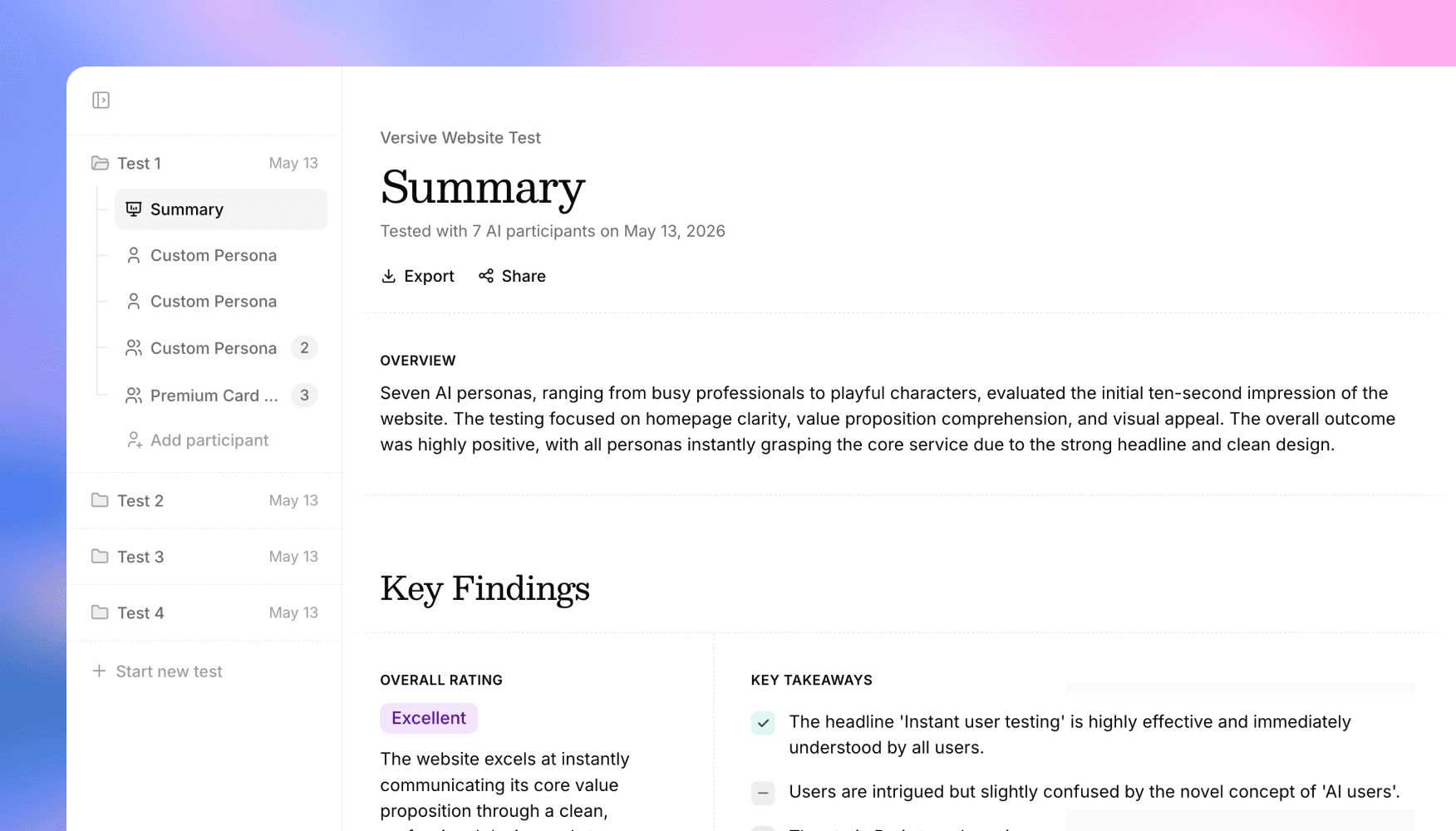
Introducing projects
Until now, each AI test stood on its own. Once a test finished, that was it: you couldn't add more synthetic users to it, and testing a new version of your design meant starting over from scratch with no easy way to compare.
Projects change that. A project is a home for related testing, where you can:
- Run multiple tests together, so all the work for a single design or initiative lives in one place instead of scattered across separate one-off tests.
- Add participants to a test, bringing in more synthetic users whenever you want a stronger signal, without starting a brand-new test.
- Add design iterations, testing a revised version of a design alongside the original so you can see whether your changes actually moved the needle.
This turns AI testing into a loop rather than a one-shot: test a design, read the results, make changes, test again, and watch how it improves over time, all in the same place.
Tell the AI what to focus on
Not every test is about the words on the screen. Early-stage prototypes are full of placeholder copy, lorem ipsum, and half-finished labels, and you usually don't want that counted against the design.
There's now a content accuracy control on website, Figma, and image tests. Turn it off when you want your synthetic users to evaluate the layout, flow, and usability of a design without penalizing it for unfinished content. Leave it on when the copy matters and you want it scrutinized.
Runs that don't lose your results
We've made website tests far more resilient. If a run hits a snag partway through, it now holds on to the results it already gathered and surfaces them to you, instead of throwing the whole thing out. You'll see a clear note when this happens, so a long test never leaves you empty-handed.
Keep your personas organized
As you build up a library of personas to test with, finding the right one gets harder. You can now organize personas into folders, and rename or delete those folders as your library evolves. It's a small thing that makes a big difference once you're running tests regularly and want your most-used personas a click away.
Get in touch
We're continuing to build features that help you test and learn faster. If you have any questions or feature requests, reach out to us at [email protected]. Want to get started? Sign up today and start running research in minutes.

Eric Li, Co-Founder, Versive