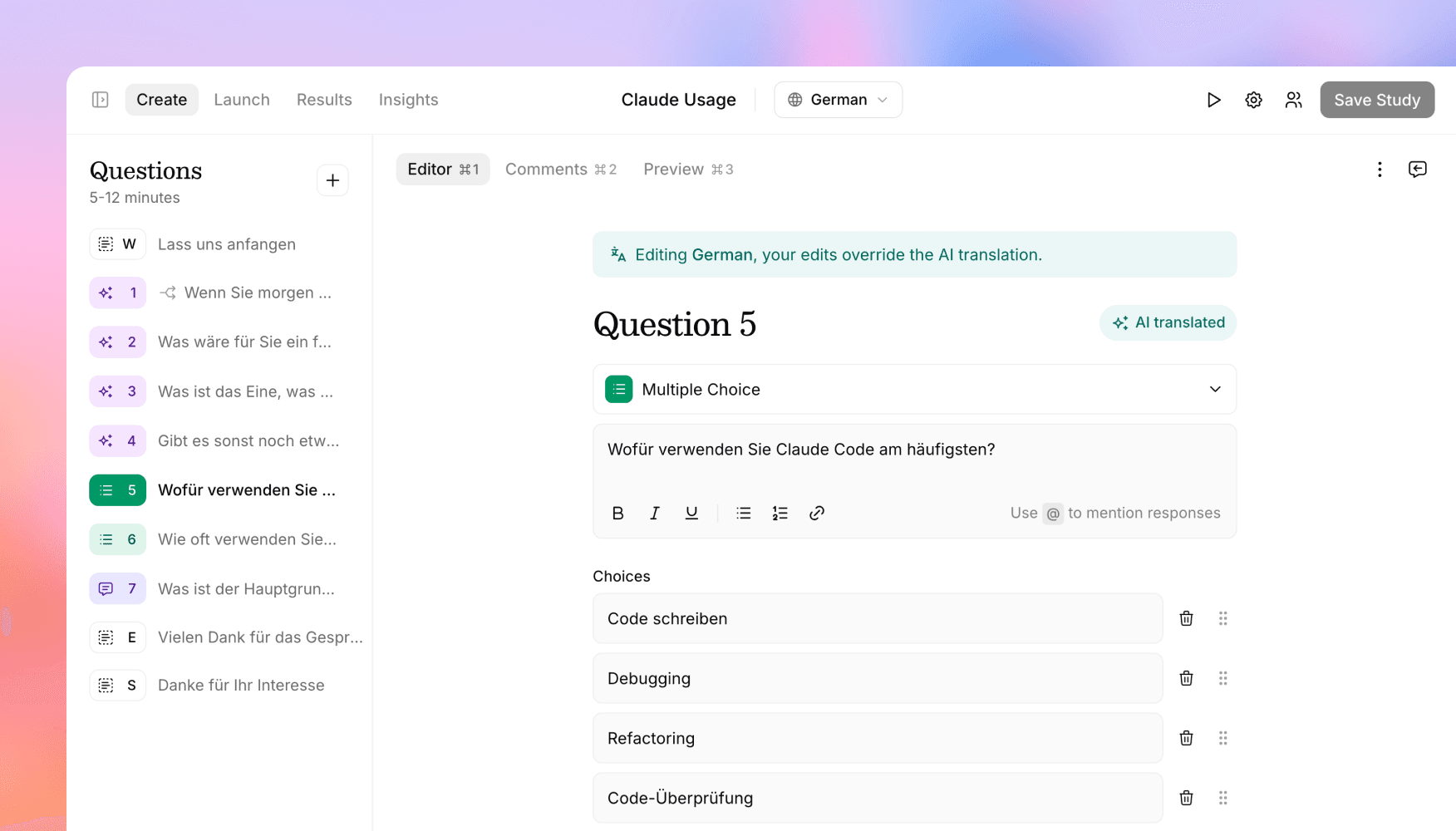
Take full control of your study translations
Edit AI-generated translations directly in the study editor, use different assets per language, preview studies in any language, and export translated transcripts.
Versive can translate your study into dozens of languages with AI. That gets you 95% of the way. But research language is precise, and sometimes you (or a native-speaking teammate) want to adjust the wording yourself. Now you can.
Edit translations directly
Switch languages right in the study editor to view and edit any translated question, along with your welcome, thank you, and screen-out messages. What you see is exactly what participants in that language will get.
The AI stays out of your way: manual edits are preserved. When you change the source study, only the fields you haven't hand-edited are retranslated. Your corrections stick.
Different assets per language
Questions can now have a different image or asset per language, which is useful when your stimulus itself contains text, like a screenshot of a localized product. Languages without their own asset fall back to the default.
Preview in any language
The live preview and AI simulation now render in whichever language you have selected, so you can experience the study exactly as a participant in that language would, before a single real participant sees it.
Translated transcripts in bulk exports
When you download transcripts in bulk, translated transcripts are now included, so multilingual studies export cleanly for analysis and sharing.
Manage translations through the API
For teams building programmatic workflows, the Versive API now lets you read AI-generated translations and submit corrections, and the study creation agent accepts a language parameter, so you can build multilingual studies end to end without opening the app.
Get in touch
We're always building. If you have any questions or feature requests, reach out to us at [email protected]. Want to get started? Sign up today and start running research in minutes.

Eric Li, Co-Founder, Versive