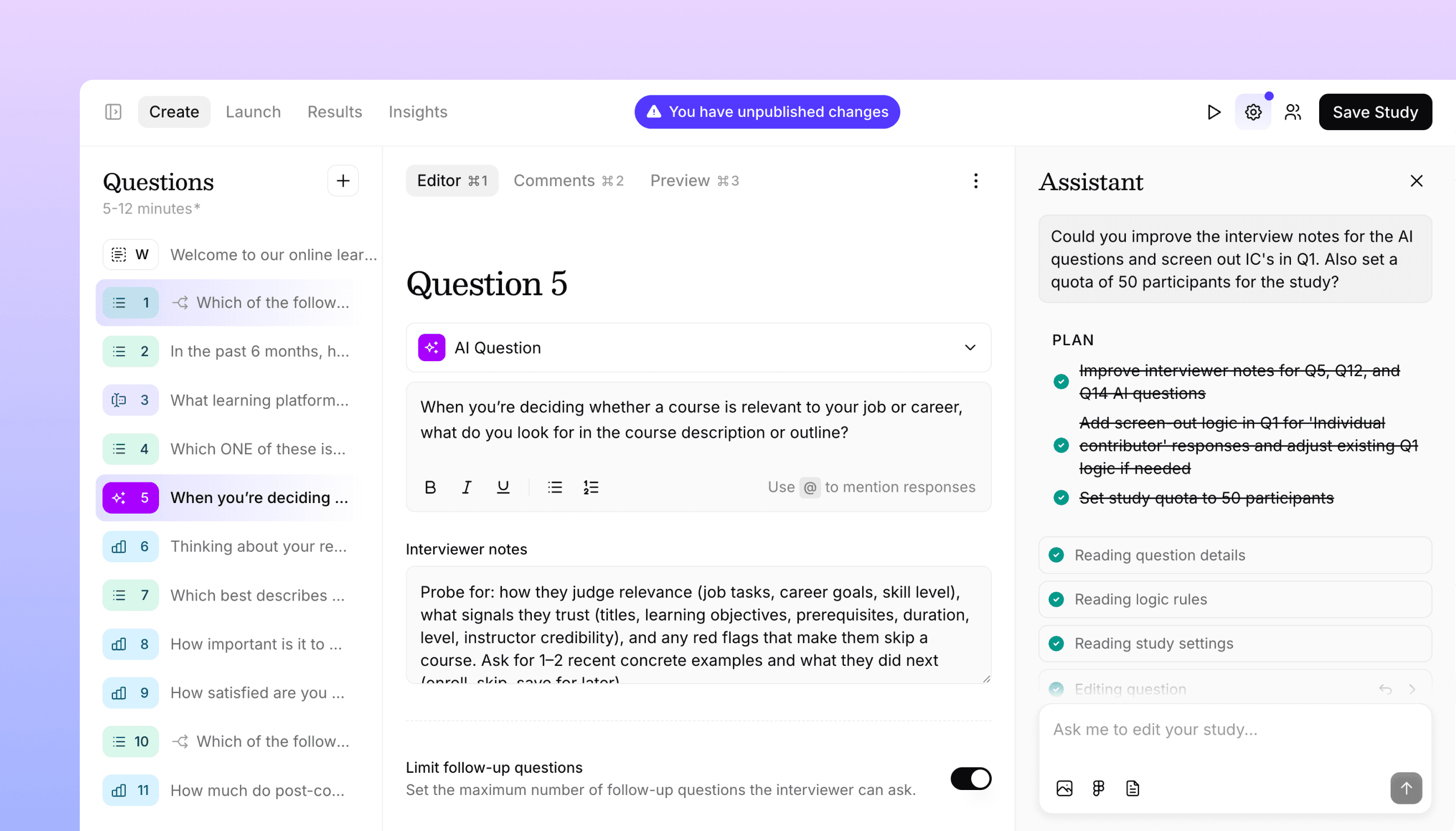
A new way to build studies: meet the Study Assistant
We're leveling up our AI editing tools with the Study Assistant – a more powerful and flexible way to build studies.
Today we're launching the Study Assistant, a major upgrade to how AI helps you build studies in Versive. We've had AI editing tools in Versive since we launched, but the Study Assistant takes them much further: it's more powerful, more flexible, and can autonomously handle complex requests that span your entire study.
Under the hood, we've built a new agent engine that powers the Study Assistant. This same engine will drive AI-powered tools across Versive, from study creation to analysis and beyond. The Study Assistant is the first place you'll see it.
The Assistant
The Study Assistant has the ability to do anything you can do manually. It can add and edit questions, configure skip and branch logic, update study settings, and change your branding. You can treat it as a full-fledged teammate that you can collaborate with to build surveys and interviews.
The assistant can reason through complex requests, breaking them down into multiple steps and executing them in sequence. Ask it to "create a screener section that filters out anyone who hasn't used the product in the last month, then add a section about purchase decisions with appropriate skip logic" and it will plan the work, show you what it's doing at each step, and apply the changes one by one.
It's also multimodal. Upload a research plan document, paste a Figma prototype, or share images. The assistant can process these inputs and use them to build your study. Import a discussion guide and watch it turn into a structured interview. Add a prototype and have the assistant create tasks around it.
Of course, every change the assistant makes includes an undo button, so you can experiment freely and revert anything that doesn't work.
Redesigned study editor
We've also redesigned the study editor to make it easier to build studies with the Assistant. You now have a three-panel layout: your question list on the left, the question editor in the center, and the Study Assistant on the right. All three panels resize and collapse, letting you configure the workspace to match how you prefer to work.
We also gave our studies a new look and feel. We've improved layout and spacing, cleaned up the UI design, and updated our illustrations and icons. The goal is to make it easier to focus on the content of the study.
Small improvements
Finally, we've made a bunch of small improvements to the study editor. We've added new settings, like the ability to set a minimum and maximum duration for AI question timers, and we've re-organized question settings to make it easier to find the most important options.
We've also updated how settings are saved – they now work just like questions, where changes are now staged until you click "Save Study" – and upgraded our unsaved changes indicators to make it easier to track what you've changed.
Get in touch
We're continuing to build features that help you test and learn faster. If you have any questions or feature requests, reach out to us at [email protected]. Want to give it a try? Start a free trial and start testing in minutes.

Eric Li, Co-Founder, Versive