A new way to test websites with AI personas
Website testing in Snap just got a major upgrade with smarter AI and better recommendations.
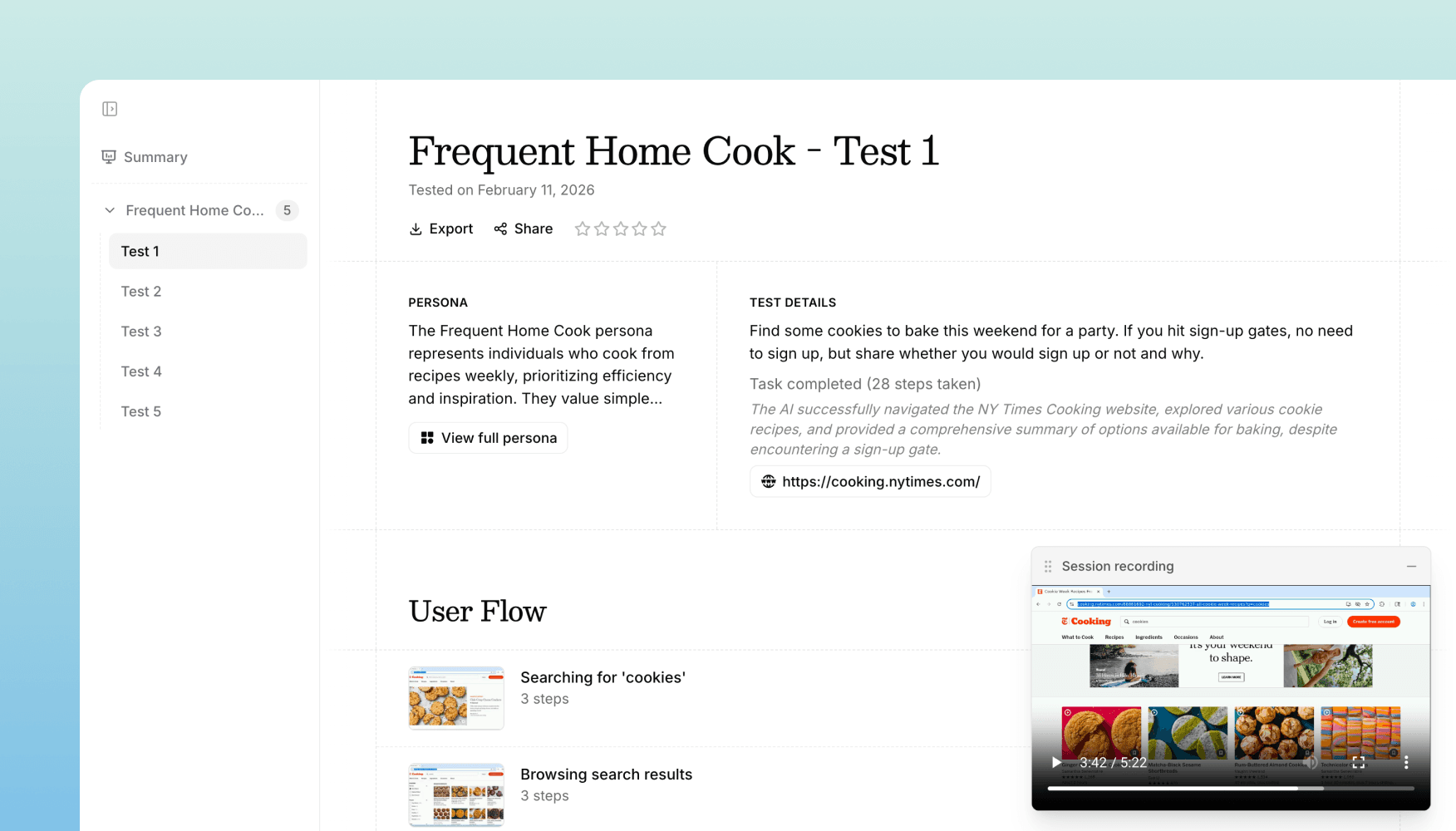
We've made major upgrades to Snap's website testing. We've upgraded the underlying AI model, rebuilt how the AI thinks through tasks, and overhauled how we turn test sessions into insights. The result: website tests are significantly more reliable, more human, and produce more useful recommendations.
A smarter AI tester
The upgraded model is better at navigating real websites the way a person would. It handles edge cases that used to trip up AI testers — complex menus, multi-step forms, popups, loading states, and unconventional navigation patterns. It's also better at recovering when something unexpected happens, like a modal appearing or a page loading slowly, instead of getting stuck.
Better insights and recommendations
We've also rebuilt how test sessions are turned into insights. The new pipeline produces more specific, actionable recommendations that are grounded in what actually happened during the test.
Each test produces:
- A video recording of the full session, so you can watch exactly what happened
- A step-by-step analysis breaking down each action the AI took and why
- A rating and summary of what went well and what could be improved
- Targeted recommendations of things to consider, based on what actually happened during the test
Live view
You can now also watch tests as they happen. Live view streams the AI's browser session in real time, so you can see how it's interacting with your site without waiting for the test to finish.
When to use it
Website testing is best for evaluating live products and production sites. Use it to:
- Validate user flows — Can users actually complete key tasks on your site?
- Catch usability issues — Where does the AI get confused or stuck?
- Test across personas — Run the same task with different personas to see how experience varies
- Regression test after changes — Re-run tests after shipping updates to catch new issues
You can even use website tests on Figma prototype links and prototypes built by tools like v0, Lovable, and Figma Make.
Get in touch
We're continuing to build features that help you test and learn faster. If you have any questions or feature requests, reach out to us at [email protected]. Want to give it a try? Start a free trial and start testing in minutes.

Eric Li, Co-Founder, Versive